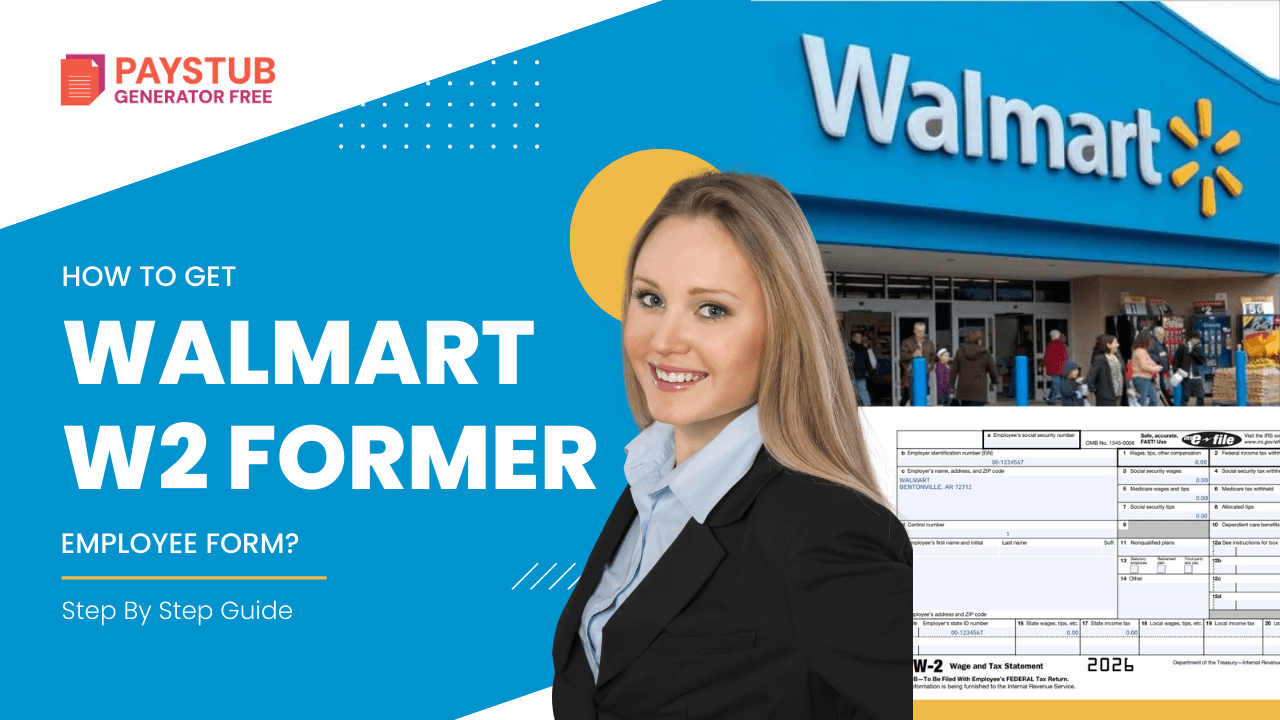
How To Get a Walmart W2 Former Employee Form?- Step By Step Guide

If you worked at Walmart in 2025, you’ll need your Walmart W2 form to file your 2026 taxes. Whether you’re a current associate or a former employee, here’s exactly how to access your W-2 quickly.

Retrieving a Walmart w2 former employee form does not have to be tough. For Walmart employees, getting their documents is a straightforward process as they receive them through One Walmart W2 portal.

Every year, millions of these workers and former associates need to file their taxes. Once you’ve left, the process for getting tax documents isn’t as straightforward. If you need to create pay stubs for your records, our paystub generator can help.

In this blog, you will get a full explanation about how to get a W2 from Walmart and other tips & tricks. So, without further ado, let’s get started.

Key Takeaways

  • Employers must send W-2 forms by January 31st.

  • Walmart W2 former employee access is available through OneWalmart or W2 Express Walmart.

  • You can call Walmart payroll at 1-800-925-6278 if online access fails.

  • The IRS provides wage transcripts as a backup.

  • Always save a digital copy of your Walmart W2 form.

What is a W2 walmart Form?

A Walmart W2 form is the official tax document issued each year that reports:

  • Total wages earned

  • Federal income tax withheld

  • Social Security and Medicare taxes

  • State income tax (if applicable)

  • Walmart’s Employer Identification Number (EIN)

Every employer is required by the
Internal Revenue Service
to issue W-2 forms by January 31st.

You need your Walmart W2 form to file both federal and state tax returns accurately. If your reported income does not match IRS records, you could face delays.

When Does Walmart Send Out W2 Forms?

Walmart sends W2 forms by January 31st each year.

  • Electronic Walmart W2 online copies usually appear in mid-January.

  • Paper copies typically arrive by early February.

For the 2026 tax season (covering 2025 income), electronic forms became available in mid-January 2026.

If you haven’t received your Walmart W2 form by February 15th, you should contact the IRS at 800-829-1040 for guidance.

How to get W2 from Walmart as a Current Employee?

Being a current employee at Walmart, you can get your w2 form by following the steps below:

1- Download Your W-2 Online

  • Visit the One Walmart Portal.
  • Log in with your Walmart WIN and password.
  • Navigate to: Me – Money- Tax Center – W2 forms.
  • Your current W-2 form will be listed there.
  • From there, you can download your W2 form.

2- Receive a Paper Copy Through Mail

  • Walmart distributes its copies of W-2s in-store for current employees.
  • If you haven’t picked up, Walmart will mail your W-2 to the address on file by 31st January.

Create professional pay stubs right away?

Try our free payroll stub generator today and discover how easy payroll can be!

Generate Paystub Now 

How to get W2 from Walmart as a Former Employee?

As a former Walmart employee, you can get your form by following the steps below:

1- Through One Walmart

The company provides you with Walmart’s former employee W2 access via Walmart One. You will need a Social Security Number, birth date, and former employee login information for logging in. If your login fails, you can try resetting your password. You also might need to call your HR department if you’re still not able to log in.

2- By Mail

The company mails you your W-2 to the last address on file  to the last address they have on file. That’s why updating your mailing address is important after you have left the company.

3- Contact the HR Department

If the online method doesn’t work, you can call the Walmart HR service center. Ensure that you are ready to provide your Social Security number and the name of the store where you used to work.

How Can I Get a Copy of My W2 Online?

Many employers provide W-2s through an online portal, but not all companies provide online access. The Walmartone portal holds more than the training documents and a bundle of benefit packages. It tracks your earnings and is the direct way to get Walmart paystub without any charges. The process is similar. Follow these steps:

  • Sign in to your account
  • Find the HR page
  • Look for payroll documents
  • Ensure you’re viewing forms for the current year
  • Download your Walmart w2 former employee

Ensure you are able to contact your employer or HR department. This is useful for getting your W-2 form when you do not have access to login information. If you’re still having trouble with what you need, ask a co-worker how you can access it.

If your W2 form was mailed to the wrong address, you can contact your employer and request a reissued copy. They may send it through the mail or even provide you with a digital copy of it.

Walmart W2 Former Employee Common Issues

Former associates sometimes experience problems accessing their Walmart W2 form.

Lost W-2

Request a duplicate through OneWalmart or call payroll.

Incorrect Information

Contact payroll immediately if your Walmart W2 form has errors in your name, SSN, or wages.

Login Problems

Reset your credentials or request HR to reactivate your former employee access.

Address Changes

If you moved after leaving, your Walmart W2 former employee copy may have been mailed to your old address. Update it with HR.

Tips for Managing Your Walmart W2 Form

  • Save digital copies every year.

  • Store your tax records securely.

  • Double-check wages and EIN before filing.

  • Update your mailing address before leaving employment.

  • Keep your final pay stub for backup reference.

Final Thoughts

Getting your Walmart W2 form as a former employee does not have to be stressful. Start with OneWalmart or W2 Express Walmart. If online access fails, contact payroll. The IRS can assist as a last backup option.

Being proactive and keeping organized tax records will save time, prevent penalties, and reduce tax season stress.

Need help creating accurate W-2 forms or pay stubs for your records? Use our paystub generator to create professional tax documents in minutes.

FAQs

1- How do I get my W-2 from Walmart?

The W-2 form will sum up your earnings and withholdings for the previous year. If you have any issues, you can contact the WalmartOne Help Desk at 1-800-421-1362 for further assistance.


2- How can I get my w2 online for free?

You can get your W-2 online for free by logging into your employer’s payroll or employee portal and downloading it from the Tax Documents section. If you no longer work there, use the former employee portal or contact the Human Resources/Payroll department.


3- How can I get my W-2 from Walmart if I no longer work there?

The company provides your Walmart former employee with W2 access through the WalmartOne site. To log in, you will need your Social Security number, date of birth, and former employee login information. If your login fails, try resetting your password or security question.


4- How to get proof of income at Walmart?

If you do not have your latest pay stub, see your Personnel or Location Manager to obtain information from the latest payroll register.


5- What is the 9-minute rule at Walmart?

There is a 9-minute grace period for arriving early, arriving late, and leaving early, as these are actions that can indicate to you if you clock in/out of those times.


6-How to Get a W2 from a Previous Employer?

In case this does not work, contact the IRS after 14th February for guidance to get what you need for the upcoming tax year. They can help reach out to your employer and request your missing W-2 form. 

 

How to get SONIC Paystubs?

If you’re an employee at SONIC, you might need to access your paystub for various reasons. No matter if you’re applying for loans, verifying income, or keeping personal financial records, your paystub is important documentation. Most Sonic employees can access their paystubs via the Sonic employee portal. Many Sonic store locations are franchised, and the exact platform might vary depending on your store owner.

Moreover, If you want to generate paystubs for your own record-keeping, you can use a reliable Paystub Generator Free tool for your business. 

In this blog, you will learn how to get Sonic paycheck stubs from your employer, along with some troubleshooting tips.  So, let’s get started.

What is Sonic?

SONIC is a well-known American fast-food restaurant chain that is famous for its restaurant chain famous for its drive-in service, where consumers can order their food and eat in their cars. Unlike a standard fast-food restaurant, where you get food at a drive-thru window. 

What is a Sonic Paycheck Stub?

A SONIC paycheck stub is a document that shows details about your earnings and deductions for a particular pay period. Your paystub includes:

  • Employee name and ID
  • Pay period dates
  • Gross pay
  • Net pay
  • Taxes deducted
  • Other deductions
  • YTD earnings

How to Get a SONIC Paystub as a Current Employee?

Check the step by step guide to access the SONIC paystub from the SONIC employee portal. Follow the steps: 

1- Visit the Employee Portal 

Navigate to the official SONIC employee portal.

2- Log in to your Account 

To do the SONIC employee portal sign-in, you need to:

  • Insert your username and password

If you are doing a SONIC employee login for the first time, do the following:

  • Register as a new employee
  • Insert a new registration code that is provided by your employer
  • Verify your identity

3- Download your Paystub

Once you’re in:

  • Navigate to the earnings section
  • Select the desired pay period
  • Download your SONIC Pay Stub in PDF format

How to get a SONIC Paystub from your Manager?

If you cannot access the SONIC employee portal, you can request your paystub directly from your manager. Below is what you need to do:

  • Speak with your store manager.
  • Request a printed copy of your Sonic Drive-In paycheck stubs.
  • Ask for your previous pay stubs.

How to get a SONIC Drive-In pay stub as a Former Employee?

A former employee can also use the paystub. Just follow the instructions given below:

1- Contact the Store Directly

Call the SONIC location where you worked earlier:

  • Who handles payroll?
  • How to request previous pay stubs?

2- Contact the Payroll Provider

If you remember the payroll system you used, try logging in using your old credentials. Many systems allow former employees to access their records for a limited period of time.

3- Use Paystub Generator Free

You can always use an appropriate paystub creation tool. In this case, you need to check the Free Pay Stub Template to preview your paycheck stub and then create a professional paystub.

What if you have forgotten your login credentials?

If you cannot access your account, do the following:

  • Click on the Forgot Password option.
  • Reset your username and password using your registered email id.
  • Contact the HR department if you can recover access.

Issues while Accessing the SONIC Drive in Pay Stub

Below are the issues that you can encounter while accessing Sonic Drive in paycheck stubs:

1- Locked Account: Too many incorrect login attempts can lock your account.

2- No Access After Leaving the job: System disable access after termination.

3- Missing Paystubs: If a paystub does not appear, confirm the pay date and contact payroll support.

Are SONIC Paystubs available on Mobile?

Yes. Most payroll providers offer mobile-friendly websites, like SONIC. You can access your paystubs by using the official SONIC payroll app.

Can you create Sonic Paystubs Manually?

If you need a paystub for record-keeping purposes, you can use the Free Paystub Generator. However, never make fake payments for legal or financial use. Providing incorrect income documentation can have serious legal consequences. Always use official documents issued by your employer.

Disclaimer:

Paystub Generator Free is not affiliated with SONIC or its associates. SONIC brands or logos are trademarked or registered trademarks. The article provides general guidance for SONIC pay stubs. Refer to SONIC official resources and consult HR for specific details.

FAQs

Key Takeaways

Once you know which payroll system your location uses, it’s usually easy to get your SONIC Pay Stubs. Start by asking your manager about the official employee portal. Most SONIC employees access their payroll payments online through payroll providers.

FAQs

1- How does the SONIC pay period work?

Sonic Drive-In locations are primarily franchised, so pay schedules, payroll systems, and benefits can vary by employer. Payday is typically every Friday, although some company locations may use a biweekly schedule. SONIC carhops and front-line workers receive tips daily.

2- Do Sonic workers get paid?

The average annual salary for a Sonic Crew Member is $28,317 per year in the United States. Just in case you need a simple salary calculator, that works out to be approximately $13.61 an hour. This equates to $544/week or $2,359/month.

3- Do SONIC employees get free food?

If you work 4.5 hours, you get paid leave. Chefs receive a free food item during their break (exclusions apply). While working out, a medium cup only costs 25¢, and you can have all the drinks and slush you want that day! You have the opportunity to make new friends.

4- Is SONIC a good company to work for?

Based on over 7,201 reviews left anonymously by employees, Sonic has an overall rating of 3.3 out of 5. This rating has increased by 2% in the last 12 months. 45% of employees would recommend working at SONIC to a friend, and 36% have a positive attitude toward the business.

5- Do you get tips working at SONIC?

They work for tips, I was making $2 an hour without tips, one employee shared. My SONIC girls are so amazing.

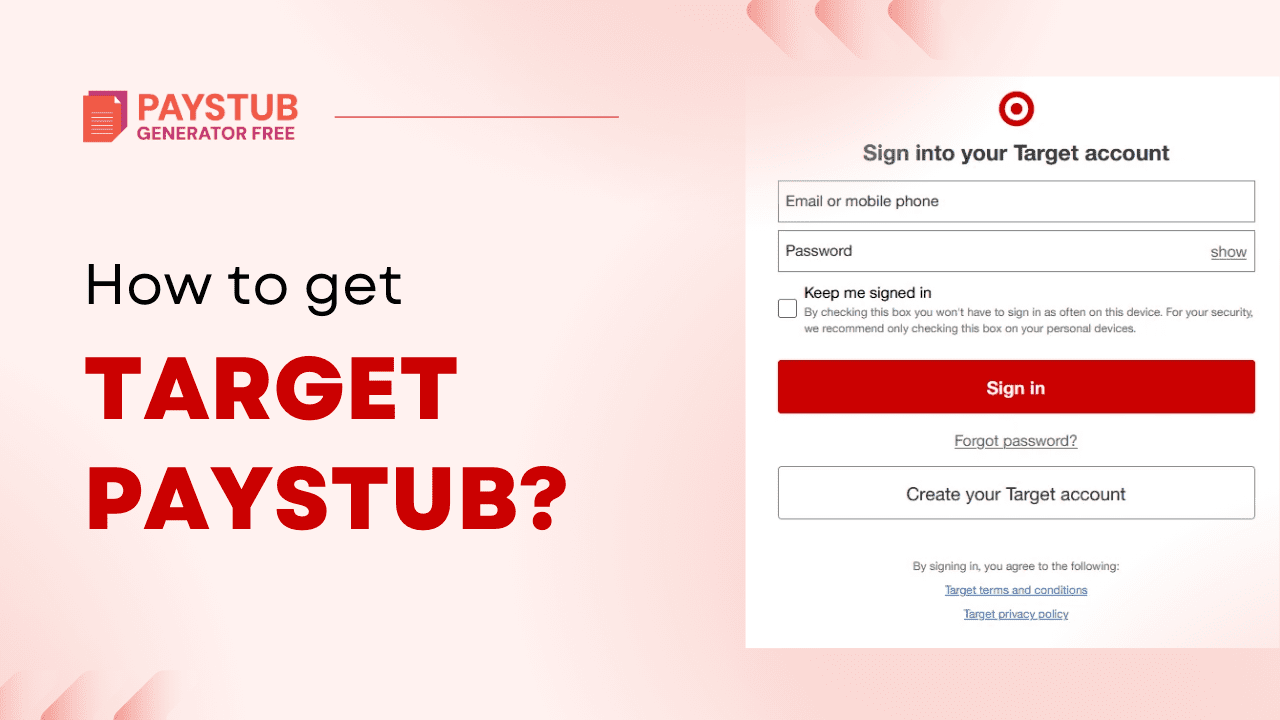
How to get paystubs from Target? : A Full Guide 2026

Target is an American retail corporation and online shopping website that is known for selling a range of products, including home goods, groceries, and beauty products. Founded in 1962 as a part of the Dayton Company in Minneapolis, Minnesota. If you’re looking for a reliable paystub for your business, you can use the Paystub Generator Free.

What is Target?

Target is an American retail corporation and online shopping website that is known for selling a range of products, including home goods, groceries, and beauty products. Founded in 1962 as a part of the Dayton Company in Minneapolis, Minnesota.

What are Target Pay Stub?

A Target pay stub is an official payroll record. It shows your gross pay, net pay, taxes withheld, and deductions for each pay period. Target team members need these documents to verify earnings and file taxes.

A standard target pay stub online shows the following information:

1- Employee Information: Your name, employee ID, and your job title.

2- Pay Period & Date: The dates the pay covers and the date when the money was paid.

3- Earnings: Gross pay- Total earnings before deductions, Hourly rate- How much you’re paid per period, Regular hours worked & overtime hours.

4- Deductions: These amounts are taken out of your gross pay- federal income tax, state taxes, social security & medicare taxes, and benefit deductions.

5- Net Pay: The amount that you take home after all deductions are made.

6- YTD Total: How much have you earned, and how much has been deducted for the year.

Why Do You Need A Target Paystub?

You might need a target pay stub for the following reasons:

  • Proof of income for loans
  • Renting an apartment
  • Filing taxes
  • Applying for government benefits
  • Monitoring deductions and overtime
  • Personal financial record

How to get a Target Pay Stub as a Current Employee?

If you’re a current employee and working at Target, follow these steps to get your Target pay stub online:

1- Visit the Target Employee Portal

Target employees can access their paystubs via Target employee login at Workday. You will need the following information:

  • Your Team Member ID
  • Your password

2- Log into Workday

Target uses Workday for the payroll department. After logging in, do the following:

  • Visit the Pay section
  • Click on Pay history
  • Select the pay period you want
  • Download your paystub

3- Download your Target Pay stub

You can download your target paystub by following these steps:

  • Click on download
  • Save it on your computer

How to get a Target Employee Pay Stub as a Former Employee?

A former employee can use paperlessemployee target portal to get a paystub:

1- Access Workday

Target allows former employees to log in to Workday using their previous credentials. If you remember it:

  • Visit the Target Workday portal
  • Insert your username and password
  • Go to pay history

2- Contact Target HR

You can contact the Target HR department. You might need:

  • Your Social Security Number
  • Employee ID
  • Date of birth
  • Location of the store

What to do if you forgot your Login Credentials?

If you forgot your login credentials, do the following:

  • Click on Forgot password link
  • Answer the security questions
  • Reset your password

If you forgot your username, contact the HR department & also contact the store’s HR representative.

Tip: If you’re looking for tax forms, such as a target w2 former employee document, you may also find it through the same portal if access is still active.

How long does Target Keep Paystub Records?

Most companies maintain payroll records for several years as required by the law. But it is always easy to download and save your paystubs for personal records. Paystub Generator Free recommends keeping your pay stubs target for at least one year and tax documents for at least three years.

Do you need a paystub within a flash?

Use our accurate paycheck stub generator for your business.

Generate Paystub Now

Key Takeaways

Getting your target payout is easy if you follow the right steps. Whether you’re a current employee or a former team member, you can get your salary information online through Workday or by contacting HR.

Disclaimer:

Paystub Generator Free is not affiliated with Uber or its associates. Target brands or logos are trademarked or registered trademarks. The article provides general guidance for Target pay stub. Refer to Target official resources and consult HR for specific details.

FAQs

1-How can I access my Target pay stub online?

Log in to the Target Team Member Portal with your credentials, then go to Pay & Tax Statements → Pay Statements to view or download your pay stubs.

2- What do Target employees get paid?

We raised our starting wages again, offering a range of $15 to $24 an hour depending on role and location. And we’re seeing those investments pay off today, with the average salary for our frontline team members exceeding $18.50.

3- What is the 15-minute rule at Target?

Target’s 15-minute rule is an informal policy, often communicated verbally, that requires employees to wait 15 minutes after stocking high-demand merchandise such as the popular Stanley Cup before purchasing it, ensuring that regular customers get a fair chance. Employees have been fired for violations, although the rules are not always written.

4- Does Target have a 401k?

Your financial future is good with the TGT 401(k) plan. Target matches the contributions dollar for dollar up to 5% of your pay with 100% immediate vesting.

5- What is a Target hourly rate?

The average Target Team Member hourly wage in the United States is approximately $15.32, which is 13% above the national average. Salary estimates from 1,038 past.

6- What happens if you break something at Target?

You may return your damaged or defective item to any Target store for a full refund without any restocking fee. If you would like to return your damaged or defective item for a refund, please contact Target.com Guest Services at 1-800-591-3869. They will help schedule pickup for a damaged or defective item.

7- Does Target pay overtime?

Targeted employees are often required to work double shifts and overtime before and after their scheduled shifts. Except for some upper management positions, employers must pay overtime to workers who work more than forty hours per week.

8- How many breaks do Target employees get?

Fun facts about targeted employee breaks. If you have a full 8-hour shift, you get two 15s and one 30. And then some places, depending on the state, have a 45-minute lunch instead of 30. Two 15s are paid, not 30 or 45.

9. How much does target pay?

Target pays about $15 to $24 per hour on average for hourly employees in the U.S.

How to Get Pay Stubs from Direct Deposit?

Getting paid easily through direct deposit is a straightforward process. Most employers & employees prefer this choice as neither one of them has to visit the bank to deposit their checks. The reason is that the payer uses the payee’s bank details to make a direct payment into a designated bank account.

Direct deposit has become increasingly popular for most employees to receive their pay, offering speed, security, and convenience compared to traditional checks or bank visits. But this switch from physical to electronic payments often leaves employees confused as they struggle to locate and access their direct deposit pay stubs when there is no physical check attached. You can also use the Paystub Creator for accurate paystubs for your business.

This guide outlines all the practical steps on how to get pay stubs from direct deposit, no matter how your employer processes payroll. By the time it’s finished, you’ll know where to get pay stubs from direct deposit when you need them.

What is a Paystub?

A pay stub is a document that shows your earnings. It showcases the total amount of earnings for a given pay period. It shows deductions that are taken out from your paycheck stub. Paystubs contain deductions, and these amounts include FICA, state taxes, Medicare, and 401k contributions.

Paystubs are important because they act as a valid proof of income for most of the people. They contain essential information about a person’s earning capacity, which proves handy for transactions requiring financial responsibility.

Understanding Direct Deposit

The term direct deposit refers to depositing funds into a bank account electronically instead of through a physical, paper check. Direct deposit requires the use of an electronic network that allows deposits to be made between banks. This network is called Automated Clearing House (ACH).

Direct Deposit is one of the safest and quickest methods to get paid. The money goes straight into the payee’s bank account via an electronic network.

For the money to be sent by the payer, the recipient needs to give the name of their bank, their account number, and the bank’s routing number to the party making the payment. Otherwise, they can give a voided check, which is basically the same information printed.

It may take a few days to set up direct deposit. Once the depositor has the information, they enter it into their banking system. Funds are transferred electronically and credited to the recipient’s account at midnight on the payment date. Funds are automatically cleared via ACH and available immediately, eliminating the need for bank holds.

This method is commonly used to transfer an employee’s salary, tax refunds, investment redemptions, payments from retirement accounts, and government benefits such as Social Security. Bill payments are also made using direct deposits from debtors to creditors. For example, taxpayers have the option of receiving their refund as a personal check or via direct deposit.

While most direct deposits are made using bank accounts and automated clearing houses, these payments can also be made using online banking and by transfer via smartphone. For example, if someone wants to send money directly to a family member, all they need is that person’s email or mobile phone number. The recipient gives his banking information to the transfer company. Once the money is sent, it is credited to the recipient’s account. Like other direct deposit cases, the money is available for immediate use.

How to Get Pay Stubs from Direct Deposit?

If you use the correct method to obtain direct deposit check stubs, many employees find that accessing direct deposit pay stubs is easier. If you are struggling with how to get pay stub from direct deposit, this section helps you understand the methods. Although payments are sent electronically, payroll systems still keep detailed records of every payment and provide easy ways for employees to access their direct pay stubs.

1- Email

This is an easy and efficient payroll direct deposit method to request pay stubs quickly. You can obtain your direct deposit payroll by emailing it to the HR department in charge. This email method works especially well if your mail request involves loan applications, rental approval, employment verification processes, or emergencies. You can have PDF copies emailed to you in just a few minutes. If you still have doubts about how to get pay stubs, your HR can give you instructions. When contacting the payroll department, use your work email account to get a quicker response time from them.

2- From Employer

To get a direct deposit salary, the easiest and simplest way is to request it directly from your employer’s payroll team. HR and payroll teams are responsible for maintaining employee salary records, whether your payment is made by direct deposit or other methods. There should be physical or electronic copies of direct deposit payroll stubs that they can provide to you. Employers using manual systems may take some time to retrieve old records, so it may be beneficial to specify the particular pay period for which you need it. Your HR department will email it directly to you.

3- From Payroll Portal

If your company offers an employee portal, you can sign in to view schedules, request leave, and access pay check information. After signing in, simply visit the Payroll or Pay Stub section to download any required files.

4- Use Paystub Generator Free

If your employer does not provide access to historical stubs or you need them immediately for personal records, using a pay stub generator tool is another solution. These tools allow users to quickly enter income details, employer details, deductions, and taxes to generate professional-looking pay stubs. Before finalizing your document, you can also preview Pay Stub Template options to ensure the format, layout, and information are accurate and meet your requirements.

Want quick access to your earnings breakdown?

Try our free payroll stub generator today and discover how easy payroll can be!

Generate Paystub Now

How to set up Direct Deposit?

In case your employer offers direct deposit, you should ask them how to set it up. The steps to set up direct deposit are as follows:

  • Get a direct deposit form from your employer.
  • Fill in account information.
  • Confirm the deposit amount.
  • Attach a voided check.
  • Submit the form.

What is a Direct Deposit Payroll?

Direct deposit payroll is a method of paying employees electronically by transferring their salaries directly to their bank accounts instead of giving them paper checks. In simple words, the employer sends the salary directly from the company’s bank account to the employee’s bank account on the pay day.

How Does Direct Deposit Payroll Work?

The following are the steps to go through for making direct deposit payroll work:

  • Insert employee bank details.
  • The employer will process the payroll.
  • On the day of payday, payment is electronically transferred to the banking account.
  • The amount is automatically deposited into the employee’s bank account.

Key Takeaways

In today’s digital age, it is becoming increasingly important to know the multiple ways to obtain information, especially financial documents. So, knowing how to get pay stubs from direct deposit can be a lifesaver for critical moments like needing immediate proof of income.

If all else fails, you can always rely on a Paystub Generator to generate accurate paystubs for your employees.


FAQs

1- How can I get my pay stubs online for free?

All you have to do is visit the paystub generator and enter the required information, such as company, basic employee, and earnings details. You can then preview the paystub and continue to download it for free.


2- How to obtain pay stubs?

Receiving pay stubs depends on how your employer handles payroll. They are needed to verify income for loans, rental applications, or tax purposes. You can obtain pay stubs through the online portal, the HR department, through the employer, or using the paystub generator tool.


3 – How do I get a pay stub from direct deposit?

You can request a pay stub from your employer, who may provide it in a paper format or electronically through an employee portal.


4- How to get your pay stubs?

You can get a pay stub from a bank, especially if you receive direct deposit from your employer. You typically submit a request to your bank, and they can retrieve the pay stub for you. You can also get your pay stub directly from your employer’s employee website or payroll department.


5- How to retrieve pay stubs?

Pay stubs can be retrieved through your employer’s online portal, by contacting HR, or by checking your bank records.


6- What can I show as proof of income?

Income proof documents are records proving financial income, typically including pay stubs, W-2/1099 forms, bank statements, and employment verification letters. Salaried individuals often use pay slips and W-2s, while the self-employed provide tax returns, bank statements, and P&L statements.


7- How much can I have in my bank account without paying tax?

There is no limit to how much money you can keep in your savings account before paying taxes. This depends on how much interest or investment returns you earn and what your personal savings allowance is.


8- How do I avoid a tax audit?

You can significantly reduce the likelihood of an audit by paying careful attention to the details and identifying whether you are reporting special interest transactions to the IRS. And if you do get audited, having accurate and complete records and professional advice can make the process go more smoothly.


9- How to get a pay stub from direct deposit?

Even if you’re paid via direct deposit, you can still access your pay stubs. Most employers provide them through an online payroll portal, email, or HR system. Simply log in to your portal, navigate to the pay stubs or earnings section, and download your stub. If you don’t have access, contact your HR or payroll department to request a copy.

How to get Uber Paystubs?

Being an Uber driver means you will not be classified as a traditional employee but as an independent contractor. This means Uber doesn’t issue traditional pay like a regular employer. But you can access and use your earnings record, often called a pay statement or driver earnings summary. If all else fails, you can always use the Paystub Generator Free to create professional check stubs for your employees.

As an Uber employee, there may be times when you need access to your paycheck stubs to verify trip earnings, payments, deductions, and other important details regarding payments made on trips.

In this blog, we are going to cover all about Uber, the Uber portal, Uber driver pay stubs, and how to get your pay stubs from Uber in a simple and easy way.

What is Uber?

Uber is a global, app-based technology platform that connects users to ride-hailing services, food delivery (Uber Eats), courier services, and freight transportation. Operating in more than 70 countries, it allows users to book rides from independent drivers, track their arrival in real time, and pay through the app, which usually shows the cost in advance.

What are Uber Pay stubs?

Uber doesn’t give out traditional paystubs, the kind you get as an employee of a company that withholds your payroll, deducts taxes, and lists employer information.

Instead, Uber provides earnings statements that indicate your income over a certain period (usually weekly), which are broken down into:

Total trip earnings, bonuses and incentives, tips, tolls or reimbursements, Uber service fees, Net payouts. These earnings statements are practically similar to paystubs because:

  • They indicate your earnings. 
  • They reflect the pay period. 
  • They consist of detailed breakdowns of income types. 
  • They can be used as proof of income for housing, loans, or tax purposes. 
  • However, in contrast to regular paystubs, Uber’s statements do not exhibit employer tax contributions or payroll tax withholdings, as you are your own taxpayer, being an independent contractor.

How to get Uber Paycheck Stubs as a Current Employee?

Many Uber drivers were surprised to learn that Uber does not issue traditional Uber driver pay stubs, but instead provides pay statements. Uber payment statements work the same and show earnings, payments, fees, and any adjustments. Finding your Uber payment details may seem confusing at first, but once you know where to look, the process is straightforward and quick. 

You can access your Uber paycheck stub through the Uber website or mobile app by following these steps:

  • Make sure that your Uber Driver account is active.
  • Log in to the Uber Pay Stubs Login portal using either a web browser or the Uber Driver app.
  • Open the menu to gain access to your Uber driver dashboard.
  • From the menu, select Earnings.
  • Click Statements to review your payment history.
  • Select a week or month to download your payment statement.

How to Access Uber Pay Stubs as a Former Employee?

To get your Uber pay stubs as a former employee, follow these steps:

Step 1: Log in to the Uber Driver Account

  • Log in to the Uber Driver Account.
  • Visit the Earnings Statement.
  • Choose the week or the month you need.
  • View and download your Uber pay stubs.

Step 2: Contact the HR Department Directly

The only way of getting pay stubs after separating from Uber is to directly contact Uber Human Resources or Payroll and ask them for the same. They must carry the records of employees’ payroll and are thus expected to give out copies whenever asked (email or mail).

Step 3: Use Paystub Generator Free

You can use the Paystub Generator Free to create accurate pay stubs for your employees.

Does Uber Provide Uber Paystub for Its Employees?

Uber is a global company that offers its services in the main continents, such as North America, Europe, Asia, and Africa. Drivers, in general, inquire about ways to get Uber pay stubs, how payments work, etc. In addition, they want to know if the payment system differs for Uber Eats drivers.

Knowing how you can get your pay stub is one of the ways to effectively manage your finances, aside from planning a budget and getting prepared when you need to provide proof of income.

Uber does not give its workers traditional paychecks. The drivers at Uber and Uber Eats who are considered independent contractors have not been given an Uber earnings statement from Uber.

Since you are an independent contractor, your income statements will not be like those of a regular employee.

How does Uber Pay Independent Contractors?

If you are not an Uber employee but a freelancer, Uber can pay you in two ways; 

These methods allow you to generate pay stubs: 

  • Direct Deposit: Every Uber Gig comes with a bank account through which payment will be made directly into that bank account. 
  • Instant Payments: Uber offers instant payments in the form of a direct deposit option that enables users to request earnings immediately instead of waiting until payday. By doing this, your money will come immediately.

How can you View Your Uber Pay Statements?

Uber does not offer regular employee pay stubs; however, you can still access this data as needed to monitor earnings and familiarize yourself with issues such as year-to-date taxes. 

  • First and foremost, go to the Uber app on your computer and tap on its menu button to open its main menu. 
  • Select Income, then select details for the income, and select the month/year you want to display their details correctly. 
  • Click View Statements to access them for the week you want.

Do you need paystubs for proof of income?

Try our free payroll stub generator today and discover how easy payroll can be!

Generate Paystub Now

Key Takeaways

Even though Uber doesn’t give out regular pay stubs to employees, drivers, and ex-drivers can certainly get detailed earning statements, which serve as sufficient proof of income. Through the Uber Driver app or the driver dashboard on a desktop, one can simply check, print, and keep weekly, monthly, or annual income statements.

These earning statements are generally recognized for various significant uses like tax returns, loan applications, rental contracts, and income verification. Also, former Uber drivers can retrieve their old pay records if they still have their account login information or can get it back through Uber Support. If you need check stubs for your employees, you can use the paycheck stub maker for professional paystubs.

Disclaimer:

Paystub Generator Free is not affiliated with Uber or its associates. Uber’s brands or logos are trademarked or registered trademarks. The article provides general guidance for Uber pay stubs. Refer to Uber’s official resources and consult HR for specific details.

FAQs

1. Does Uber have a pay stub?

Uber does not provide pay stubs to its employees, regardless of their role. Instead of pay stubs, Uber provides pay statements to its employees. The process of obtaining your payment details may seem confusing at first. But once you do it a couple of times, it will become routine.


2. How to get proof of payment from Uber?

When a ride ends, we automatically send a receipt to the email address on your Uber account. If you are not receiving receipts, check the Spam or Junk folder of this email address. You can review your email address by selecting Settings from your app menu.


3. Does Uber provide income statements?

Your weekly income statements are released on Monday. We’ll send you an email whenever we release a new one. If you wish, you can click below to download PDF versions of these statements.


4. What is the 5-minute rule for Uber?

The Uber 5-minute rule refers to the grace period that drivers wait for riders after arrival, where standard rides (UberX, etc.) typically get 5 minutes before waiting fees are applied or the driver can cancel, while premium rides (Uber Black) go longer, but it is designed to ensure on-time pickup, compensate drivers for lost time, and keep the platform efficient.


5. Does Uber offer monthly statements?

Drivers receive monthly tax statements. Please note that monthly tax statements are not official tax documents but are provided to help you understand your earnings throughout the year.


6. How do I get a pay stub from Uber Paystub?

Log in to your Uber Driver Dashboard or Uber Partner app, go to Earnings → Weekly Summary, and download or view your pay statement.


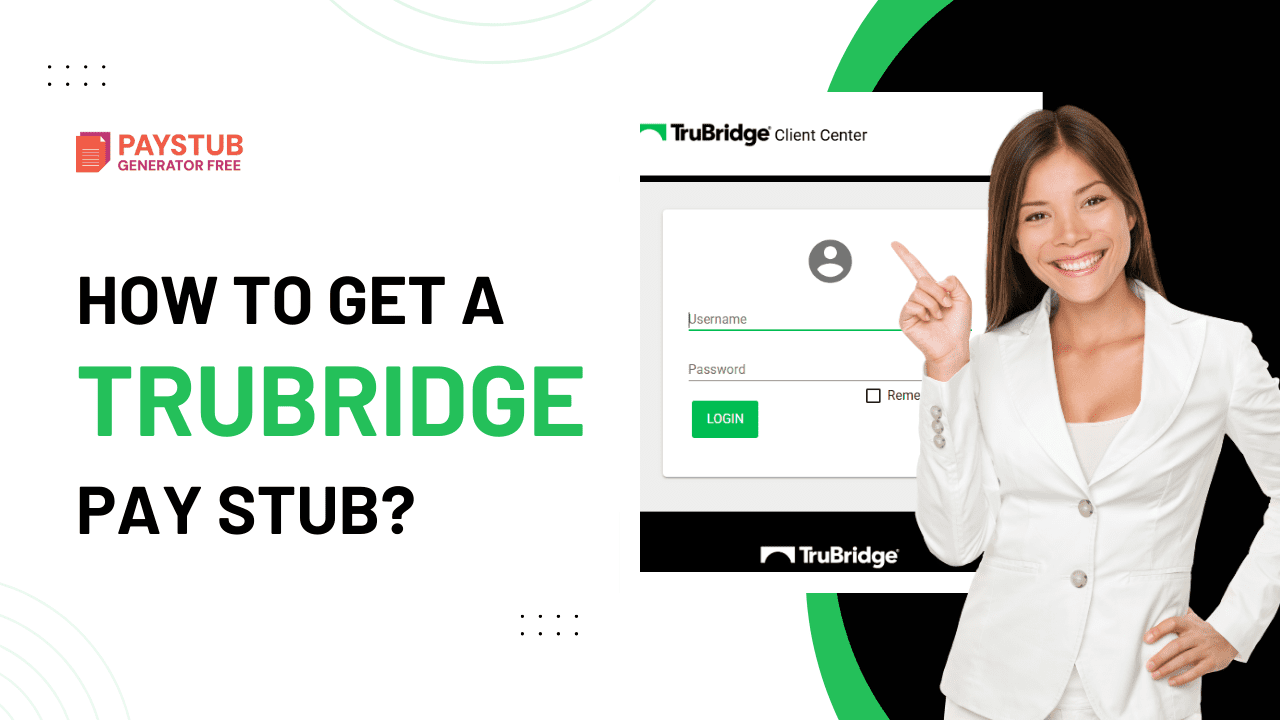
How to get a TruBridge Pay Stub?

TruBridge is a group that helps healthcare organizations of all sizes, right from rural hospitals to multi-location health systems. They guide them through financial pressures and regulatory requirements. Getting your TruBridge paystub is simple, and if you are stuck, you can use the Paystub Generator Free to get a professional paystub for your business. 

In this blog, we will explain to you how to view TruBridge pay stub effortlessly without having any hassle.

What is TruBridge?

TruBridge is a healthcare company that helps rural and community hospitals and health systems remove operational and financial barriers, so they can focus on delivering care to their communities.

What is a TruBridge Paystub?

TruBridge Paystub is simply an electronic payroll document that shows details of an employee’s earnings for a specific pay period under TruBridge’s payroll system. It’s part of the online payroll and employee portal that TrueBridge offers, so employees can view, download, and save their pay statements digitally instead of having to receive paper copies.

Key Requirements before you log in to TruBridge?

The following information ready before logging into the TruBridge Paystub Portal:

  • Login credentials: Login with your TruBridge required credentials pay stub.
  • Active employment: You should be an active employee at TruBridge.
  • Stable internet connection: You should have an active internet connection.
  • Updated contact information: Make sure that the contact information is updated in case you need to reset your password.

How to get TruBridge Paystubs as a Current Employee?

The easiest and fastest way to get your TruBridge paystubs is through the TruBridge RCM Login. 

Step 1: Go to TruBridge Employee Portal: Go to the official TruBridge paystub portal login provided by your employer. Most TruBridge employees receive salary information through human resources or the payroll system.

Step 2: Log in to your Account: Log in to the TruBridge paystub login portal by inserting your employee ID and password.

Step 3: Navigate to the Paystubs: Once logged in- Look for Pay Statements, select the pay period you want.

Step 4: Download your Paystub: You can view your TruBridge electronic pay stubs online and download them in PDF format.

How to get TruBridge Pay Stub as a Former Employee?

If you are a former TruBridge employee, you can still request past pay stubs. Available options: 

  • Log in to the Payroll Portal (if access is still active).
  • Contact TruBridge Support, HR Department, or Payroll Support with your employment details. 
  • Most companies keep payroll records for several years, so it is usually possible to download TruBridge paystub.
  • Use the Paystub Generator Free tool to create reliable pay stubs for your business.

Troubleshooting Tips

  • Account Locked: Too many login failures can lock your account. Wait for 30 minutes and then try again. 
  • Can’t view latest pay stub: Pay stubs are typically uploaded on payday. If it’s still missing, check with payroll for delays. 
  • Technical Error: Clear browser cache and cookies, as well as update your browser to the latest version. 
  • Access from a mobile phone: If your phone supports the TruBridge mobile app, you can switch to it.

Do you need proof of income urgently?

Try our free payroll stub generator today and discover how easy payroll can be!

Generate Paystub Now

Why is TruBridge Paystub Important?

Your pay stub is more than just a pay slip. It helps you: 

  • Keep track of earnings and deductions, and file taxes correctly.
  • Apply for a loan or credit card.
  • Verify employment and income, and resolve payroll disputes. 
  • Keeping digital and printed copies is always a smart move.

Disclaimer: Paystub Generator Free is not affiliated with TruBridge or its associates. TruBridge’s brands or logos are trademarked or registered trademarks. The article provides general guidance for TruBridge paystubs. Refer to TruBridge’s official resources and consult HR for specific details.

Key Takeaways

Obtaining a TruBridge paystub through the Employee Payroll Portal is usually quick and simple. If online access is not available, your human resources or payroll department can help you obtain a copy. For urgent situations, the pay stub generator can serve as a temporary backup. Always review your pay stub carefully and store copies safely for future use.

FAQs

1-How do I get a pay stub from TruBridge?

To access your TruBridge pay stub online, log in to the TruBridge employee portal with your username and password, then go to Payroll / Pay Statements to view or download your pay stub.

2- What information is on a TruBridge Paystub?

TruBridge paystub is probably referring to the pay statement issued by TruBridge to its employees or medical professionals. This will include their salary, any applicable taxes, and any deductions or fees they must pay.

3- What is TruBridge known for?

TruBridge Capital Partners is an alternative asset management firm that aims to generate outsized returns in the venture capital industry. The firm is famous for relying heavily on data and analytics when investing in venture and seed/micro-VC funds.

4- What are TruBridge’s main products?

TrueBridge is a healthcare solutions company that provides EHR-agnostic revenue cycle management (RCM) solutions for hospitals and ambulatory care settings. The platform offers a range of features such as claims management, billing and invoicing, denial management, reporting, and population health management.

5- Where is TruBridge Healthcare located?

The registered office of Trubridge Healthcare Private Limited is at B-101, Ground Floor, Express Zone Commercial Hub, Western Express Highway, Goregaon East, NA, Mumbai, Maharashtra 400063, India.

6- When was TruBridge founded?

Established in 2007, TruBridge Capital Partners is an alternative asset management firm focused on generating superior returns in the venture capital industry.

7- What does TruBridge invest in?

TruBridge is financing the future. Since 2007, we have invested in high-performing, access-constrained venture capital managers and directly in select venture-backed companies to generate value for our limited partners. 

8- What information is on a TruBridge paystub?

TruBridge paystub is probably referring to the pay statement issued by TruBridge to its employees or medical professionals. This will include their salary, any applicable taxes, and any deductions or fees they must pay.


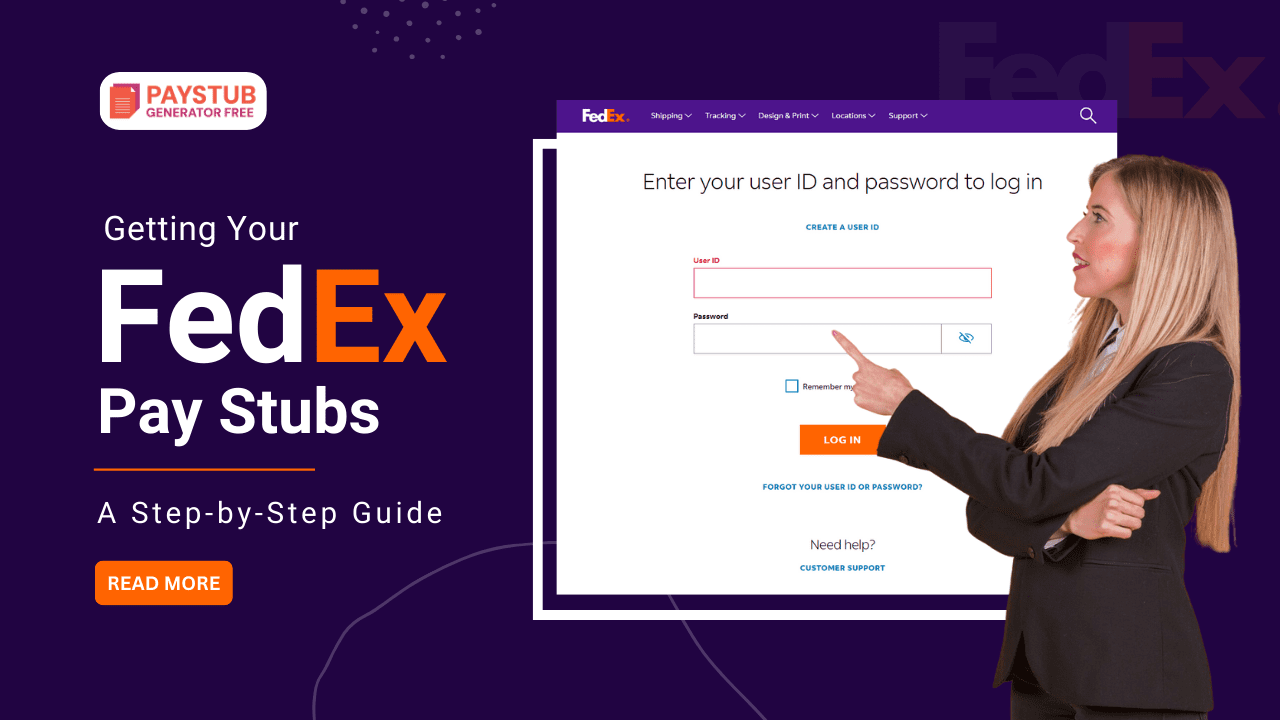
Getting Your FedEx Pay Stubs: A Step-by-Step Guide

For FedEx employees, pay stubs are more than just proof of income. They are vital documents for tracking income, verifying employment, and managing personal finances. Whether you are a long-term employee or a former FedEx employee, knowing how to access your FedEx paycheck quickly can save a lot of time. You can always use the paystub generator free to create professional paycheck stubs for your business.

In this blog, we are going to see how you can get your paystubs from the FedEx employee login portal.

What is FedEx?

The FedEx (Federal Express) brand is an international courier service best known for its overnight shipping services. This can provide the means to link businesses and individuals on a global basis, both through the air and on the ground, for fast packages and document delivery.

What is a FedEx Paycheck?

FedEx Payroll or paychecks tell when and how much the employee has earned, itemized with deductions and other financial details. Assuming that FedEx payroll stubs are validated means proper monitoring of income, exclusions, and taxation.

For one to access pay stubs in this digital world, where every requirement seems to have its space in servers and clouds, and is a never-ending resource, one can say it is important for FedEx to acknowledge the need. FedEx offers simple mechanisms for income verification for its employees via an Internet platform.

What information is included on a FedEx Paystubs?

Learning about accessing your FedEx check stub helps you understand what you will see once it’s made available. Below is what is included:

  • Employee details: Name and employee ID 
  • Pay period: Start and end dates of the pay period cycle
  • Earnings: Regular pay, overtime, and bonus
  • Gross pay: Total earnings before deductions
  • Deductions: Federal tax, state tax, and social security taxes, etc 
  • Net pay: Final amount that you take home
  • Year-to-date: Earnings and deductions assembled

How to get your Fedex Paycheck as a Current Employee?

FedEx employees can access my payroll fedex through the FedEx online portal. You should follow these instructions:

Step 1: Visit the FedEx Employee Portal 

Go to the official FedEx employee login portal

Step 2: Log in with your Credentials

Log in with your user ID and password.

Step 3: Navigate to Payroll

  • Find the Pay section.
  • Click on Earnings statements.

Step 4: Select the Pay Period

You will see a list of various pay periods.

Step 5: Download your Pay Stub

  • Download your pay stub in PDF format.

How to get your FedEx Paystubs as a Former Employee?

Being a former employee at FedEx, you can generate pay stubs through the following:

Log in to the FedEx Pay Stub Portal:

  • Log in to the FedEx employee login portal.
  • Check for any pay stubs that you want to download.
  • Contact the FedEx HR department to request copies.

Use the Paystub Generator Free:

You can always use the Free Paystub Templates, select from various templates and generate accurate pay stubs for your business.

Troubleshooting Tips

Pay Stub Not Showing

  • The pay period may not have closed yet
  • Try checking again later

Incorrect Pay Details

  • Compare hours worked with your earnings
  • Report discrepancies to your manager or payroll department immediately

Website Not Loading

  • Clear browser cache
  • Try a different browser or device
  • Ensure you’re using a secure internet connection

Why should you review your FedEx check stubs?

Many employees view their net pay, but reviewing their pay stubs fully has benefits. Regularly reviewing your pay stubs helps in:

  • Catch payroll errors early
  • Confirm the correct tax withholdings
  • Track overtime and bonus
  • Prepare for tax season without last-minute stress

Do you need pay stubs for proof of income or for renting an apartment?

Try our free payroll stub generator today and discover how easy payroll can be!

Generate Paystub Now

Disclaimer: Paystub Generator Free is not affiliated with FedEx or its associates. FedEx’s brands or logos are trademarked or registered trademarks. The article provides general guidance for FedEx pay stubs. Refer to FedEx’s official resources and consult HR for specific details.

Key Takeaways

Getting your FedEx pay stubs doesn’t have to be complicated. With Online Employee Access, you can view, download, and manage your salary information anytime, anywhere. 

Whether you’re checking your latest paycheck stubs, solving a payroll problem, or preparing for tax season, knowing how to access and understand your pay stub can help you take control of your finances. If you ever run into issues, FedEx’s HR and Payroll teams are here to help. Don’t hesitate to reach out. Staying informed about your earnings is one of the smartest financial habits you can make.

FAQs

1- How do I get a pay stub from FedEx?

Log in to FedEx WorkForce Manager (WFM) with your employee ID, then go to Pay → Pay Statements to view or download your pay stubs.


2- Where can I find my FedEx payment receipt?

First, if you sign up for FedEx Billing by Email, you can receive PDF invoices. You can receive your digital invoices with FedEx billing online.


3- Does FedEx offer daily pay?

Pay depends on which contractor you work for, but you might get paid a daily rate and not by the hour.


4- How to download the FedEx bill?

Tap on Service > Payment information > Billing history. Tap the current payment cycle to view and download the invoice.


5- How to get paystubs from FedEx?

Fortunately, FedEx has complete payroll records available. To get the fastest relief, former employees should contact the FedEx HR payroll department. The FedEx HR payroll number is 1-800-622-1147. As part of the verification process, you will be required to provide your Employee ID number.


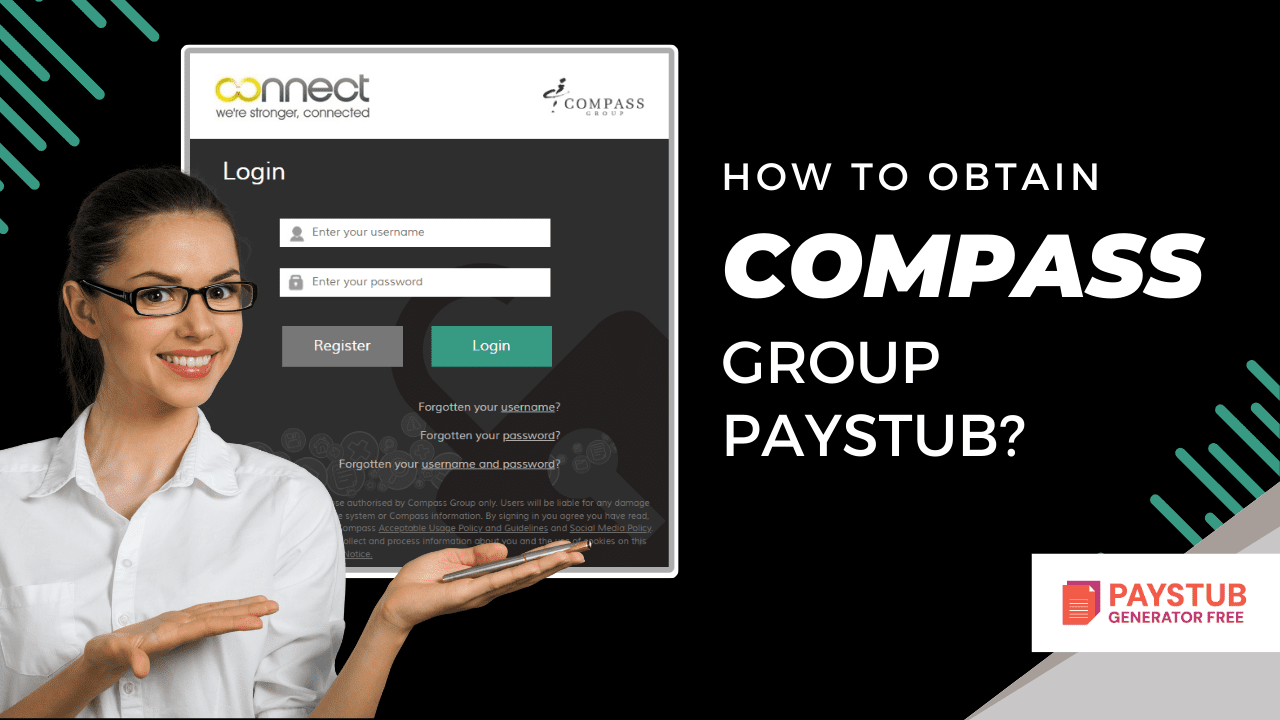
How to obtain a Compass Group Paystub?

Compass Group is a British multinational contract foodservice firm based in Chertsey, England. If you work at Compass, accessing your paystub is a vital aspect of managing your finances. In case you want an accurate pay stub for your employees, you can use the paycheck stub creator. 

What is Compass Group?

Compass Group is a global food service and support company that operates in multiple countries around the globe. It is known for providing food, catering, and facilities management services to businesses.

Why do you need a Compass Group Paystub?

The Compass Group paystub is not just a salary slip; it is a vital financial document. You might need them for:

  • Proof of income
  • Filing income tax returns
  • Verifying the accuracy of payroll
  • Personal budgeting 

How does Compass Group provide Paystub?

The Compass Group provides its employees’ payroll information via compass group employee portal. Most employees access their payment information digitally through this portal. The portal allows all employees to:

  • View past and current employees
  • Download Compass Paystub
  • Check payroll history
  • Manage payroll details

How can a current employee get their Compass paystub?

A current employee can easily get their Compass Paystub via the following steps:

Access the Compass Group Employee Portal

Finish the Compass Group Payroll Login Setup

  • Insert your employee ID.
  • Insert your password.
  • Finish verification steps.
  • Click on the Login button.

Navigate to the Paystub Section

  • Look for options like My Pay or Pay Statements.
  • Click on the relevant option.
  • Select the pay stub you want to view.

View and Download Your Paystub

  • Click on View Paystub.
  • Download your Compass Group paycheck as a PDF.

How can a former employee get their Compass Group pay stubs?

Being a former employee at Group Compass, you can face some trouble. Follow these steps to obtain your Compass Group pay stubs:

Try logging into the employee portal.

  • Visit the official employee portal.
  • Insert your previous username and password.
  • If logged in, search for sections like Payroll or Tax Forms.

Contact the HR Department 

  • Either call or email your HR department. Provide your full name, Employee ID, and Dates of employment.

Request Final Paystub 

  • Request for final paystub from the HR department.

Use a Pay Stub Creator

How to Get Compass Group Check Stubs without Online Access?

Employees might not have immediate access to the portal. If this happens, do the following:

  • Contact your HR department.
  • Verify identity before receiving documents.
  • Use the paycheck stub generator to create professional stubs.

Do you need a quick and reliable way to generate paystubs easily?

Try our free payroll stub generator today and discover how easy payroll can be!

Generate Paystub Now

Key Takeaways 

Compass Group is a multinational company specializing in food and support services, serving millions of people every day in workplaces, hospitals, schools, and public spaces around the world. Or you can always rely on a paystub generator free for reliable paystubs.

If you ever have trouble accessing your paycheck stub, the Compass Group HR department is your best point of contact. Always keep digital or printed copies for your records. You never know when you’ll need proof of income.

Disclaimer: Paystub Generator Free is not affiliated with Compass Group or its associates. Compass Group brands or logos are trademarked or registered trademarks. The article provides general guidance for Compass Group pay stubs. Refer to FedEx’s official resources and consult HR for specific details.

FAQs

1- Where can I find the Compass Group paystub?

You must log in to the Compass Group web portal. Click on the payroll section, from there you can view and download your paystub in PDF format.


2- Is Compass Group an MNC company?

Compass Group is a British multinational contract foodservice company that is located in Chertsey, England. 


3- How does Compass pay?

For every hour an employee works, Compass Group pays the national living wage at a prevailing rate set by the government.


4- What is the Compass Commission Split?

Compass negotiates the split on a case-by-case basis, but most reports approach an 80/20 structure, with room for experienced agents to move up.


5- Is Compass Group B2B or B2C?

Compass is a global leader in food services, providing delicious and nutritious meals to millions of people in more than 25 countries, in addition to providing targeted support services. Our extensive portfolio of B2B brands allows us to create an exclusive food and service offering for our customers and consumers.


6. How do I get a pay stub from Compass Group?

log in to the Compass Group employee portal with your credentials, then go to Payroll to view or download your pay stubs.


How to get Cracker Barrel Pay Stubs?

Cracker Barrel is an American chain of restaurants founded in Lebanon, Tennessee, in 1969 by Dan Ivins. You can get your Cracker Barrel pay stubs from their employee portal. You can also use the paystub generator free to generate your pay stubs.

In this blog, we will be looking at how to get your paystubs from Cracker Barrel. Whether you’re applying for a loan or tracking your income, knowing how to get your Cracker Barrel pay stubs can save you time and stress.

What is Cracker Barrel?

Cracker Barrel is an American restaurant known for its Southern-style food and old-fashioned country store vibe. It offers comfort food like fried chicken, biscuits, and all-day breakfast, with a charming country store that sells gifts designed in an old-fashioned atmosphere to travelers across America.

What is a Cracker Barrel Pay Stub?

A Cracker Barrel Payroll is a full record of your earnings for a particular pay period. It generally includes:

  • Employee ID and name
  • Pay period dates
  • Hours worked
  • Hourly rate
  • Gross pay
  • Taxes withheld
  • Deductions
  • Net pay

Cracker Barrel employees are paid weekly, so pay stubs are generated regularly and are made available via the company’s payroll system.

 create professional pay stubs right away?

Try our free payroll stub generator today and discover how easy payroll can be!

Generate Paystub Now

How to Get Cracker Barrel Pay Stubs as a Current Employee?

Being a current employee at Cracker Barrel, you should be following these steps:

Visit the Cracker Barrel Employee Portal

  • Open the browser and visit the Cracker Barrel employee portal. If you’re unsure of the correct portal, you should ask your manager for the official link.

Log in with the Credentials

  • Use your Employee ID and password in the Cracker Barrel employee login field.

Navigate to the Payroll Section

  • Navigate to the Payroll section.
  • Select the Earnings statement.

View and Download your Pay Stub

Click on your desired pay period to:

  • View your pay stub online
  • Download the Cracker Barrel check stubs in PDF format

How to Get Cracker Barrel Pay Stubs as a Former Employee?

As a former employee at Cracker Barrel, you can follow these steps:

Use the Former Employee Login

  • Some payroll systems allow former employees to log in using their old credentials for a limited number of times.

Contact Cracker Barrel HR Department

  • You can contact the HR department.
  • Provide your full name, employee ID, and employment dates.
  • Request copies of your pay stubs.

Use the Free Paystub Generator

  • You can use the Paystub Generator Free tool to create professional-looking Cracker Barrel online wage statements for your business.

Disclaimer: Paystub Generator Free is not affiliated with Cracker Barrel or its Associates. Cracker Barrel’s brands or logos are trademarked or registered trademarks. The article provides general guidance for Cracker Barrel pay stubs. Refer to Cracker Barrel’s official resources and consult HR for specific details.

Key Takeaways

Getting your Cracker Barrel pay stubs is a straightforward process once you know where to look. Current employees can easily access their weekly pay stubs through the online payroll portal, while former employees can request copies from HR if needed.

FAQs

1- How does paying at Cracker Barrel work?

Using your phone’s camera or the Cracker Barrel app, scan the QR code found on the bottom of your check.


2- Does Cracker Barrel make money?

Cracker Barrel said it now expects total revenue in the 2026 fiscal year to be $3.2 billion to $3.3 billion. This has come down to $3.45 billion from $3.35 billion earlier. The company also said it expected adjusted pre-tax earnings of $70 million to $110 million, down from $150 million to $190 million previously.


3- Why do Cracker Barrel waitresses get stars?

The stars on Cracker Barrel employee aprons reflect the level of achievement achieved through participation in the PAR program. There are four levels of the PAR program, and an employee earns one star upon completion of each level. Personal Achievement Accountability System, or ‘PAR.


4- What is Cracker Barrel’s annual income?

Cracker Barrel Old Country Store, Inc. (CBRL) had revenue of $3.48B for the most recently reported fiscal year ending 2025-07-31. Figures for the financial year ending 2025-07-31. Income Statement Financial Income.


5- How much do Cracker Barrel’s executives make?

The average estimated compensation for Cracker Barrel executives, including base salary and bonuses, is $235,529, or $113 per hour.


6- How do I get a pay stub from Cracker Barrel?

To access your Cracker Barrel pay stubs online, log in to the Cracker Barrel employee portal with your username and password, then go to Payroll to view or download your pay stubs.


How to get a Burlington Pay Stubs?

A paycheck stub is a vital financial document for employees, and if you work at the Burlington Store, knowing how to access your Burlington Paycheck Stub is important for managing your taxes and personal records.

In this guide, you will learn about getting your Burlington paycheck stubs from its portal. 

What are Burlington Pay Stubs?

A Burlington Paycheck stub is a document that shows a detailed breakdown of your pay for a particular pay period. It includes:

  • Employee ID and name
  • Pay period dates
  • Gross earnings
  • Hourly rate and hours worked
  • Federal, state, and local tax deductions
  • Benefits and other deductions 
  • Net pay

Pay stubs are often required for tax filing, loan applications, rental agreements, background checks, and proof of income.

How do I get my pay stubs from Burlington as a current employee?

If you’re a current employee at the Burlington store, the most common way to access your paycheck stub is via the company’s employee portal. Here’s how:

Access the Burlington Employee Portal 

To access Burlington, you can use the Burlington Employee Portal, where employees can view pay stubs and working schedules. You will need: Employee login credentials and a stable internet connection.

Log in to Your Account

Insert your employee ID and password.

Navigate to Payroll Section

Once logged in, search for options like “Earnings” or “Pay Statements.” Select the pay period you want.

View or Download Your Paystub

You can view and download your paystub as well as download it in PDF format.

Tip: Before finalizing your records, you can use a free payroll stub template to preview how your information should appear. This ensures all your data is accurate and professional before you submit it for official use.

How do I get my pay stubs from Burlington as a former employee?

If you’re a former employee at the Burlington store, it seems tough enough. Here’s how you can access your stub:

1- Use the Employee Portal

  • View previous pay stubs
  • Download your Burlington Check Stubs

2- Contact the Burlington HR Department

If the portal is inaccessible, contact the HR department:

  • Call the Burlington’s HR department at 609-387-7800.
  • Request copies of your Burlington pay stub.  

3- Use a Paystub Generator Tool

You can always take the help of a paycheck stub generator tool for creating free pay stubs for your employees.

Tired of navigating complex tools for a pay stub document?

Try our free payroll stub generator today and discover how easy payroll can be!

Generate Paystub Now

Why might you need a Burlington Paycheck?

You might need a Burlington Paycheck because:

  • Filing federal income tax returns
  • Applying for a loan 
  • Renting an apartment
  • Verifying employment income
  • Correcting payroll errors
  • Monitoring overtime and deductions

Disclaimer: Paystub Generator Free is not affiliated with Burlington or its associates. Burlington’s brands or logos are trademarked or registered trademarks. The article provides general guidance for Burlington pay stubs. Refer to Burlington’s official resources and consult HR for specific details.

Key Takeaways

Obtaining a Burlington paycheck stub is a straightforward process for both current and former employees. Whether you access it online through the employee portal, retrieve it through HR, or download it for official use, pay stubs are an important part of managing your financial life. 

If you ever encounter problems accessing your paycheck stub, Burlington’s HR and Payroll teams are your best point of contact. Always keep digital or printed copies for your records; you never know when you’ll need proof of income.

FAQs

1-How do I get a pay stub from Burlington?

If you’re an employee at Burlington Stores, you can easily access your pay stubs by logging into the Employee Portal or Workday to view and download them online, or request a printed copy from your store’s HR or management team.

2- Is it hard to get hired at Burlington?

Interviews at Burlington stores are generally straightforward and low-stress, often consisting of only a few basic questions about retail experience and availability. The process is generally short, with many candidates reporting offers on the same day.

3- Can I make a Burlington payment online?

Online: Log in to your online account and click Make Payment or use the EasyPay feature to pay your bill. By phone: Call 1-877-213-6741 and enter your card information when prompted, then follow the prompts to make a credit card payment.

4- Does Burlington get paid weekly?

At Burlington, you are paid biweekly.

5- Why is Burlington so cheap?

Burlington operates on a business model centered around procuring branded goods at deep discounts from a broad network of vendors, which includes designers, manufacturers, and other retailers.

6- What is Burlington known for?

Home to the renowned University of Vermont, Champlain College, and St. Michael’s College, the city boasts a vibrant academic environment. Additionally, Burlington serves as the headquarters for globally recognized brands such as Ben & Jerry’s, Burton Snowboards, and Seventh Generation.

Download Our App
Now to Generate Paystub
Instantly!

© 2026 PAYSTUBGENERATORFREE.COM | ALL RIGHTS RESERVED