
What Is a Pay Stub?
A pay stub, also known as a check stub, shows an employee’s earnings, deductions, and take-home pay for a specific pay period. It helps track income, verify taxes, and serves as proof of income for loans, rentals, or financial records.
What Are Pay Stubs Used For?
Pay stubs serve multiple purposes for employees, employers, and freelancers:
- Income Verification: Needed for loans, mortgages, and rental agreements
- Tax Compliance: Ensures proper withholding of federal, state, and local taxes
- Financial Tracking: Helps monitor overtime, bonuses, and deductions
- Payroll Transparency: Employees can verify accurate payment
- Legal Compliance: Some states require employers to provide pay stubs
Tools like a paystub generator simplify creating accurate pay stubs while reducing errors.
Pay Stub Example
A pay stub, also known as a check stub, is a document that shows an employee’s earnings, deductions, and net pay for a specific pay period. It helps track income, verify taxes, and serves as proof of payment.
You can create professional pay stubs using a paystub creator or by downloading ready-to-use templates here: PayStub Templates.
What Is on a Pay Stub?
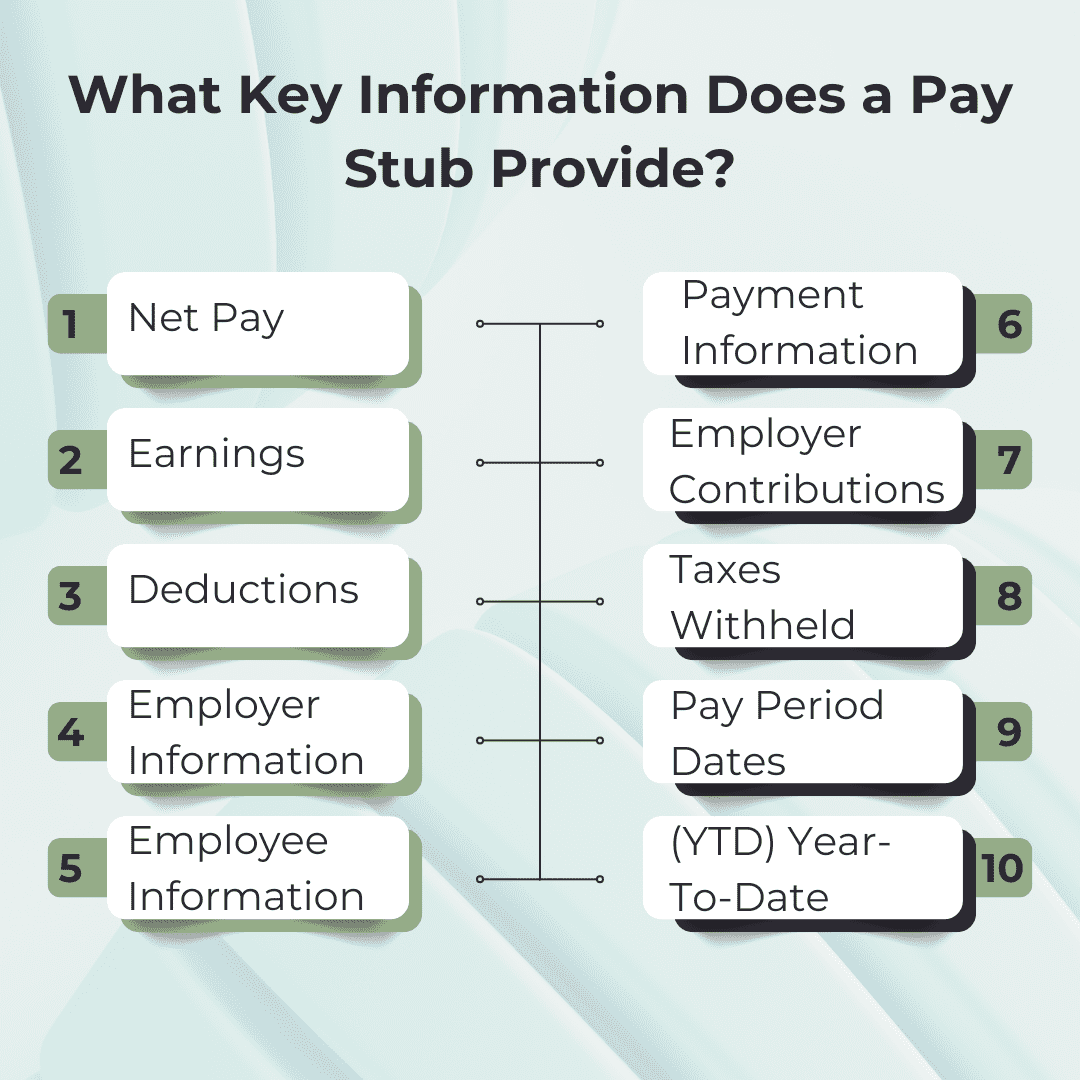
The top of the pay stub displays the employer’s name and address, the beginning and ending dates of the pay period, and the employee’s and the employee’s name and address.
The pay date is the actual day that the employee gets paid, and the pay period is the length of time the pay date covers.
- Gross Wages: The total amount an employee earns before any deductions are taken out.
- Net Pay: This is the amount that you take home after all deductions have been deducted.
- Deductions: The amount that is deducted from the gross wages, such as taxes, benefits, and retirement contributions.
- Federal Tax: The federal income tax deducted varies based on your earnings in accordance with federal laws. The more you make, the higher the rate of taxation. The minimum federal income tax rate is 10%.
- State Tax: The state tax deduction varies from state to state. For example, Florida has no state income tax. California, the state with the highest state income tax, has a rate of 13.3%.
- Other Taxes: Depending on your location, you might observe deductions for local income taxes from your pay. Cities like Chicago have a high local tax rate, while other localities have no additional taxes at all.
- Employee Benefits and Withholdings – Healthcare Benefits: This includes standard healthcare such as health insurance and vision plans.
- Employee Benefits and Withholdings – Retirement: Retirement benefits mainly consist of leave encashment, retirement bonus, and the amount that employees contributed to their provident fund account throughout their service.
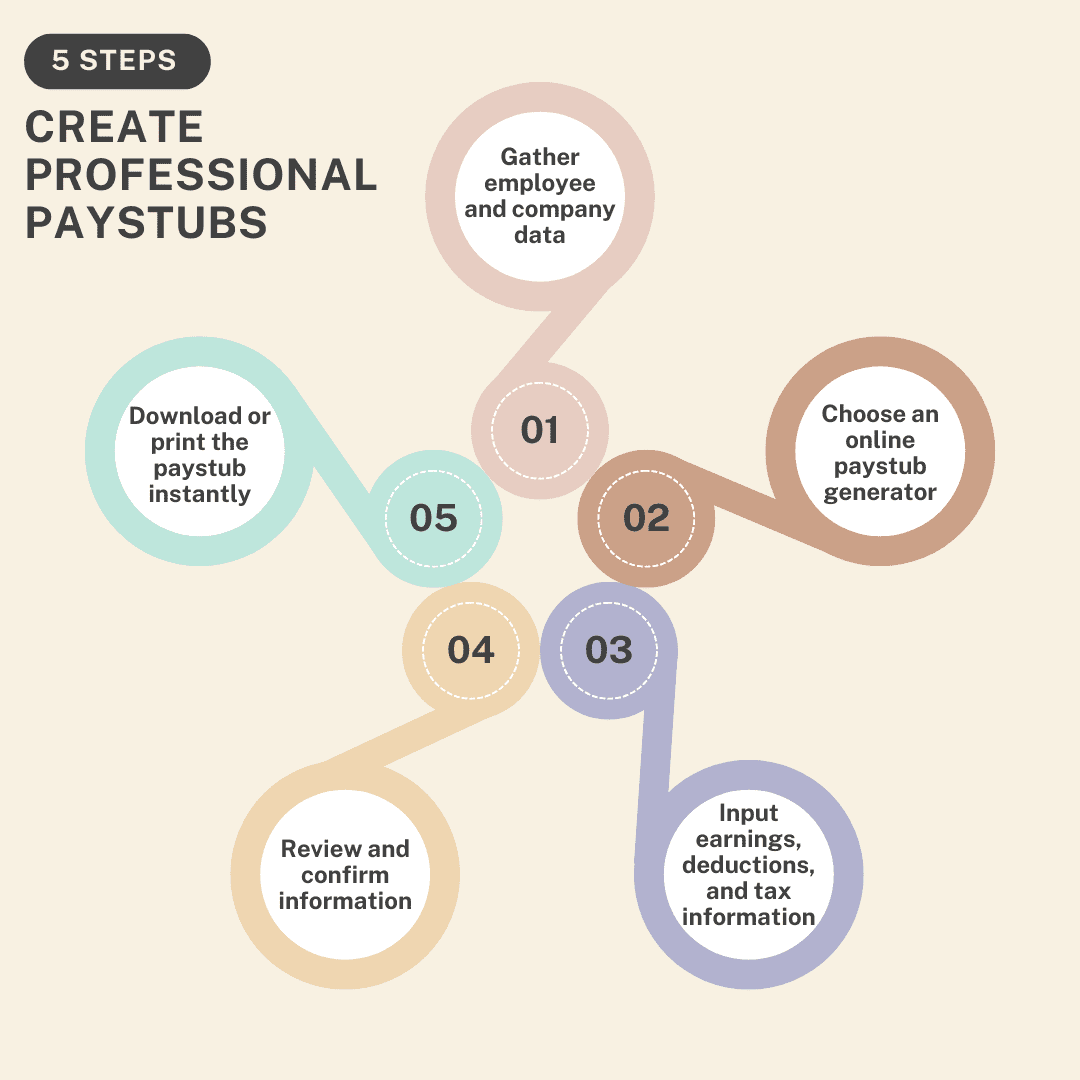
Step-by-Step Guide: How to Create Professional Paystubs in Minutes?
- Step 1: Gather essential employee and company data: You should gather essential employee and company data to insert the data.
- Step 2: Choose an online paystub generator or accounting software. Select a reliable paystub generator that you trust to do the job for you.
- Step 3: Input earnings, deductions, and tax information: Insert earnings, deductions, and tax information to fill up the required information in the form.
- Step 4: Review and confirm the accuracy of all information. Once you’ve completed the form, go through it thoroughly.
- Step 5: Download or print the paystub instantly: Click on the download button to download a professional paystub and print it for your records.
Benefits of Using Paystub Generators
- Time-saving benefits: Generate Paystubs in Minutes. With a paystub generator at your disposal, your work gets much easier than the manual paystub process.
- Ensuring Accuracy with Automated Calculations: Minimizing human errors via automation can help prevent costly mistakes, such as incorrect deductions, saving you from penalties.
- Compliance with Labor Laws: A pay stub generator will automatically fill in the information based on the jurisdiction’s requirements.
- Proof of Income: A professional pay stub is used as proof of income when applying for loans.
- Financial Planning: A pay stub can help employees track their income and expenses, which is crucial for budgeting purposes.
Key Features to Look for in a Paystub Generator
- User-Friendly Interface: An easy-to-use interface can save you time and errors. Whether you’re an employer creating multiple pay stubs or an employee generating a single stub, the process is easy.
- Customizable Templates: Different types of businesses have different needs, and a trustworthy pay stub generator offers customization options to cater to these variations.
- Accuracy and Compliance: Errors in a pay stub can lead to legal issues, employee dissatisfaction, and financial discrepancies.
- Accessibility and Convenience: A reliable pay stub generator is accessible from various devices and can be used anywhere, anytime.
Conclusion
Pay stubs, also known as check stubs, are essential for payroll transparency, financial planning, and legal compliance. Using a paystub generator ensures accurate, professional stubs.
FAQ
1. What Is a Pay Stub?
A pay stub, also called a check stub, is a detailed record of a paycheck, showing gross pay, deductions, and net pay for a specific period.
2. Can pay stubs be created manually?
Yes, spreadsheets can be used. A paystub generator free tool ensures accuracy, consistency, and professional formatting.
3. Are pay stubs legally required?
Depends on the state. Some require detailed check stubs; others accept electronic or minimal records.
4. What’s the difference between gross pay and net pay?
Gross pay is total earnings before deductions. Net pay is the take-home amount after taxes and deductions.
5. How long to keep pay stubs?
Recommended 3–5 years for financial and tax records.